

Track Club, run by Marmoset, joined Bride&Groom.video’s rotation next to Musicbed and Audiio, and its MixLab customizer is the reason. The tool lets you nudge a song’s tempo, mute or solo instruments, and pull individual stems to build your own mix, demonstrated here by reworking a track for a real highlight. Licensing keys ship with every edit. Worth a try for videographers who want a tighter grip on their soundtrack, and a free-trial link is included.
We’ve been working with Track Club for a few years now, alongside music giants like Musicbed and Audiio, and in 2026 the platform has changed in a way that matters for wedding work. Every plan now includes unlimited downloads of music, stems, and sound effects. That last part is the big one: the breaths, risers, ambient beds, and textures that shape a film’s sound design no longer need a separate subscription, they come with the same account you already use for music.
That’s why Track Club has become one of our go-to platforms for both music search and sound design, and it’s part of what makes our wedding videos feel more original and dynamic.
Why? Read our review of Track Club below.
What is Track Club?
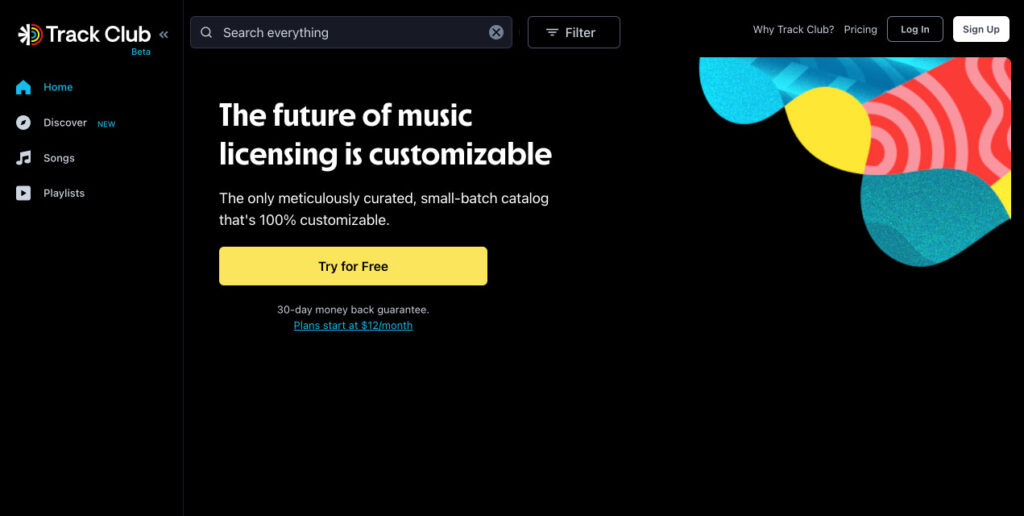
Track Club is a music licensing subscription service where creators can find music for their videos. Two things make it especially practical for wedding work. First, licenses are unlimited on every plan, so you can use the music across as many weddings as you shoot without tracking per-project clearances. Second, Track Club offers instant Content ID clearance for registered channels, which means when a couple uploads their film to YouTube, it won’t get flagged with a copyright claim over the music.
When we edit wedding videos for our client videographers, we deliver not only rendered video but a project file and license keys for the songs that we used in the edit. Uploading videos to YouTube or Instagram without this license key can lead to account suspension and even to a legal claim from the rights owner. You can read more about this in our article Background Music For A Wedding Video.
It helps to understand how Track Club licensing actually works, since it trips people up. It’s a subscription, not a one-time song purchase. While your plan is active, you can pull as many licenses as you need, and every download comes with its own documentation. Copyright clearance on YouTube and social platforms works by channel: you register the channels you publish to in your account (one channel per platform on the Individual plan, up to three on Business). One thing to keep in mind: your right to use the music is tied to keeping the subscription active. Before you cancel any music subscription, check the current policy on projects you’ve already delivered, and hold onto the license documentation for every wedding, so you have proof of clearance for each film if a question ever comes up later.
What are the specific benefits of Track Club for content creators in the wedding industry? This platform has something to surprise everyone. They offer to customize the music as if it were created specifically for your particular project.
The customization happens in Track Club’s MixLab™ tool. Over the years it’s matured from a novelty into a genuinely useful in-app stem editor: you can adjust levels, mute or solo individual instruments, shift the energy of a track, and reshape it to hit your edit points, all without opening a DAW or needing any sound-engineering background. It turns any song in the catalog into something closer to what your footage actually needs.
That means no more scrolling through endless options that seem right but never quite fit. Every plan now includes AI-powered similarity search: find one track that works, click once, and Track Club surfaces others that match it in mood, tempo, and feel. You can even paste a YouTube or Spotify link as a reference and let it find catalog tracks in the same vein.
How we use Track Club in projects
For one of our projects, we decided to use the song “Let You Go,” by Allebasi. To make a mix on Track Club, you need to click the MixLab button. After that, a panel appears at the bottom that allows you to select specific settings for the song.
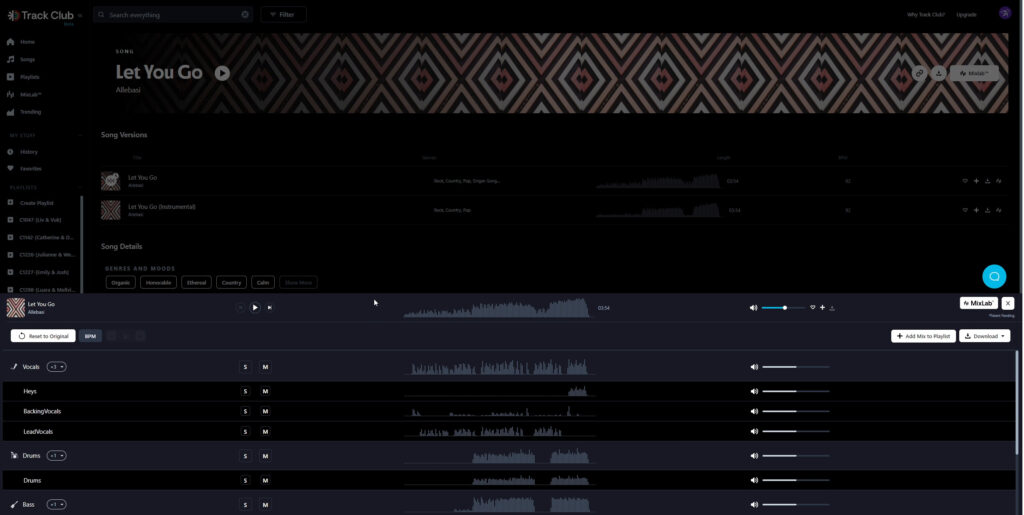
After listening to “Let You Go,” the editor wanted to add a faster tempo to it. To do this, we clicked on the BPM button and added a tempo. The editor stopped at a pace of 100 BPM (beats per minute).
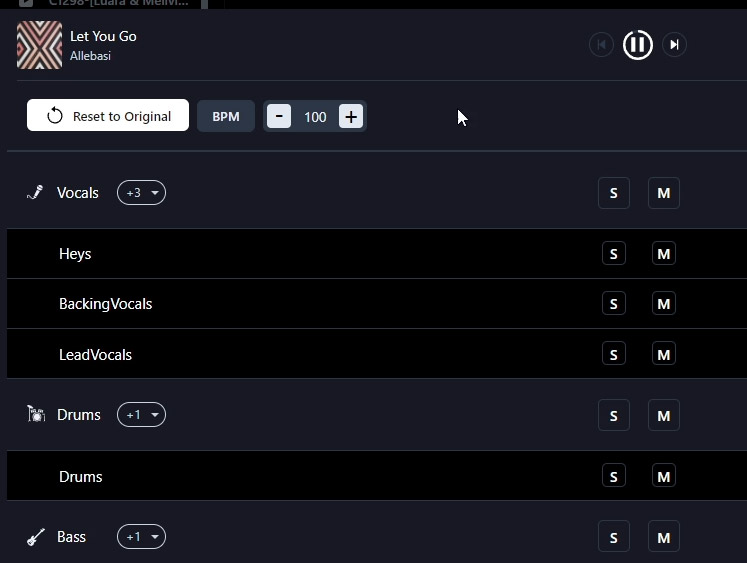
Then, he listened to the final part of the song, where he really liked the “Heys” track vocals, and decided to turn up the volume for it.
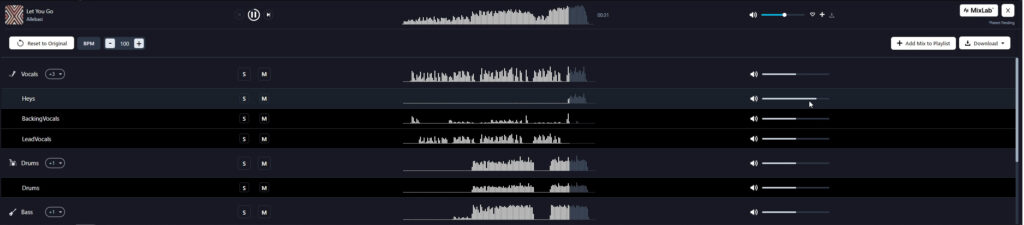
It is also possible to turn off the volume of one of the tracks (or group of instruments) by clicking the M (Mute) button, or by lowering the volume level.
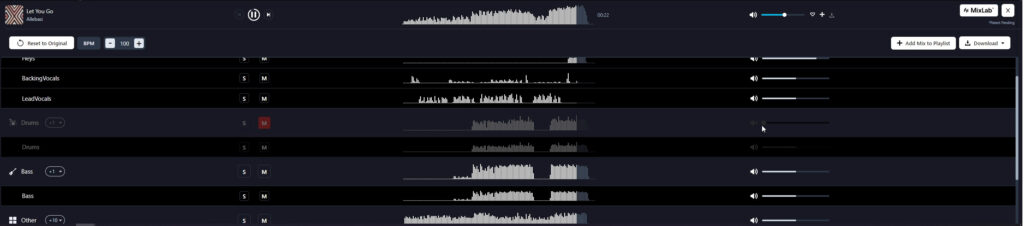
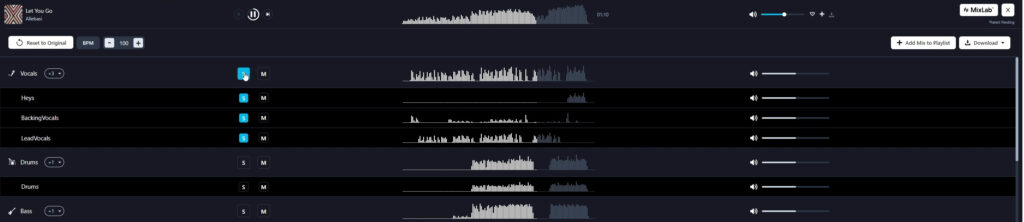
In addition, you can also turn on S (Solo) mode to listen to a specific track (or group of instruments).
After applying the parameters, you need to click the “Download” button and select “Download All Stems.”
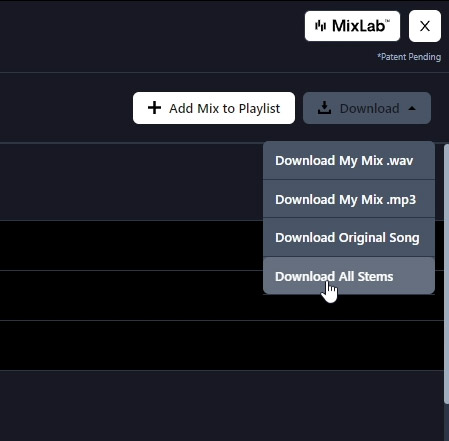
Track Club offers great benefits as it is possible to download Stems. Stems are instruments that were recorded separately from the song. With the help of Stems, you can do whatever you want with the song you have chosen. You can easily remove the instrument that you don’t like, and, most importantly, you can download them separately and make your own mix in one of the DAWs (Digital Audio Workstation).
We recorded a video for our YouTube channel where we show how we can use Stems from TrackClub in wedding video sound design:
How much does Track Club cost?
Track Club offers three account types, so most creators can find a fit. Here’s roughly where pricing sat as of late July 2026 (all prices approximate, since they shift with promotions):
- Individual: ~$12/month billed annually (~$18/month billed monthly), with copyright-claim protection for one channel per platform.
- Business: ~$39/month billed annually (~$62/month billed monthly), with protection for up to three channels per platform.
- Enterprise: custom pricing on request, built for team accounts.
Every plan includes MixLab™, AI-powered similarity search, and unlimited downloads of music, stems, and sound effects. There’s also a 30-day free trial to test everything before you commit.
For wedding videographers working on behalf of clients, Business is usually the right call, since it covers client channels across several platforms. Individual works if you’re just starting out solo. Whichever you pick, confirm the current numbers on trackclub.com/pricing, as prices change with promotions.
Track Club’s marketers gave Bride&Groom.video’s clients a promo link 🎁 for two months of free access. You’ll have time to fully test the platform’s functionality and exclusive offers. After the trial, you can decide whether a paid subscription is right for you, though we’re confident you’ll come away impressed.
Additional info about Track Club
Track Club, powered by Marmoset, is a Certified B Corporation, the first music agency to earn that status. What does that mean for you as a user? The company meets high standards for social and environmental performance, accountability, and public transparency, and it’s held to them through ongoing recertification.
Track Club invests 10% of all profits into community organizations. The main focus areas include social justice, education, the fight against homelessness, the protection of music and the arts, civil rights, and inclusivity.
Is it worth It?
Track Club isn’t just another music licensing platform. It offers original features like in-app song customization, and instead of chasing catalog size, where it’s hard to find anything worthwhile, it focuses on the quality of the music and the ability to fine-tune it to your needs.
So is it worth trying for wedding films? The free two-month trial is definitely worth taking, if only to test the Track Club MixLab™ customizer. The controls are simple and intuitive, though it’s fair to say not everyone will want to sit and adjust tracks themselves. Some people would rather grab a ready-made option, and even then, Track Club has plenty to offer. Its customer service is excellent too.
🎁 Try out Track Club for 2 months free of charge.
—
FAQs
Do I really need to keep the license keys for songs in my wedding films?
Keep them, and keep them organized. Uploading a film to YouTube or Instagram without the license behind it can lead to account suspension and, in worse cases, a legal claim from the rights owner. This is also why professional editing deliveries include license keys alongside the rendered video and project file, so the videographer has proof of clearance for every track used.
Should Track Club replace my Musicbed subscription, or run alongside it?
We actually lean on two libraries here, and they cover different needs. MusicBed is our pick for its catalog: the team handpicks the best indie artists, so you’re not digging through the same royalty-free songs you’ve heard a million times. Its tracks are rights-managed, and it helps clear YouTube copyright claims if any come up. Track Club, by Marmoset, is the one we reach for when a song needs shaping to the edit. Its MixLab tool lets you adjust levels, mute or solo instruments, and reshape a track to hit your cut points, and every plan now includes stems and sound effects too. Between the two, you spend far less time hunting and tweaking, roughly 15 working days saved a year.
Is a smaller music catalog a problem for wedding work?
It can cut the other way. Track Club’s stated approach is to prioritize track quality and customization over sheer catalog size, and the practical effect is less time scrolling through near-misses. Whether that trade suits you depends on how specific your taste is, which is something a trial period answers better than any review can.
What happens to films I’ve already published if I stop subscribing?
That depends on the license terms rather than anything an outside review can promise, and subscription licensing rules differ from platform to platform. Before canceling any music subscription, read what the service says about previously cleared projects and download your license documentation while you still have account access. Those records are your protection if a claim ever surfaces later.


