
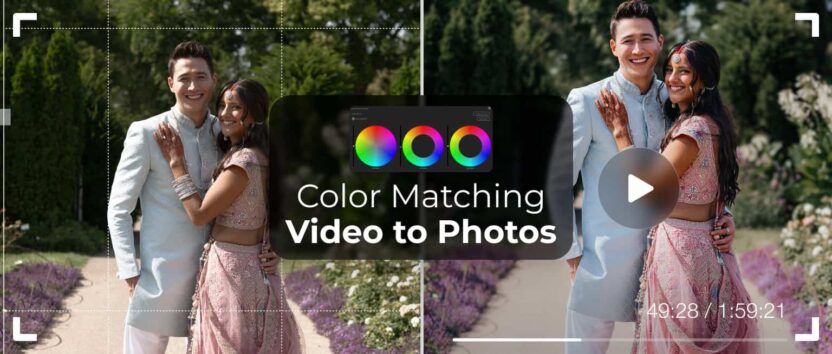
Aimed mostly at photographers moving into video, this explains why a wedding film can’t look exactly like the photos, and why chasing a pixel-perfect match backfires. It covers the real differences in resolution, dynamic range, compression, low-light noise, and frame-by-frame grading, then makes the case for mood alignment instead. Bride&Groom.video shares its workflow using reference photos, split-screen matching in DaVinci Resolve, LUTs, and optional custom grading to keep film and photos feeling connected.
Why Videographers Care About Matching Photo Style
More and more wedding photographers are moving into video, and one of the first things they ask us is: “Can my films look like my photos?”
It’s a natural request. Your photos carry your unique artistic fingerprint – color tones, atmosphere, mood. Brides and grooms fall in love with that look, and they often expect your video to feel the same.
But here’s the truth: while video and photography share many creative principles, they are technically very different. Matching them exactly is not possible – and it’s not even desirable. The real goal is visual harmony, where your films and photos feel related, not identical.
Why Photos and Videos Are So Different
1. Resolution & Detail
A still photo from a camera like the Sony a7IV can be 33+ megapixels, while 4K video is just over 8 megapixels per frame. That means far less detail to work with in grading, and compression often strips away subtle information that photos preserve.
2. Dynamic Range
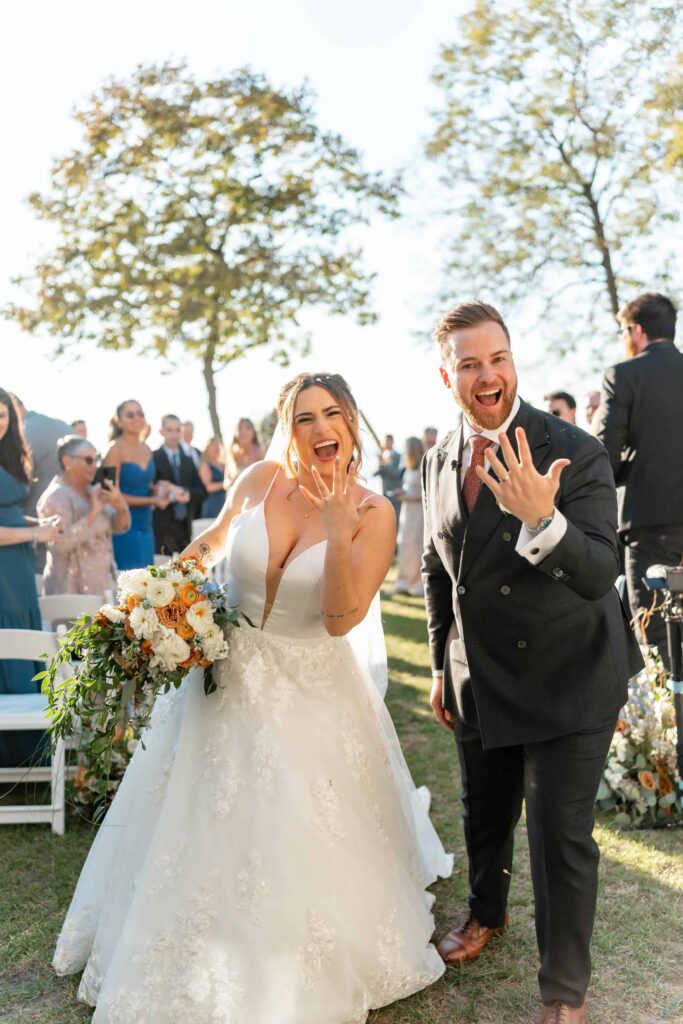
Photographers often shoot RAW with up to 15 stops of dynamic range, giving tons of flexibility. In video, even advanced log profiles like S-Log3 top out around 12–13 usable stops. That means shadows and highlights clip faster, and you can’t push the footage as far.
3. Color & Compression
RAW photos store clean sensor data. Video, even in log, is compressed and constantly shifting with motion and lighting changes. A bride stepping from sunlight into shade may cause saturation and skin tones to shift, sometimes introducing noise.
4. Noise & Low Light
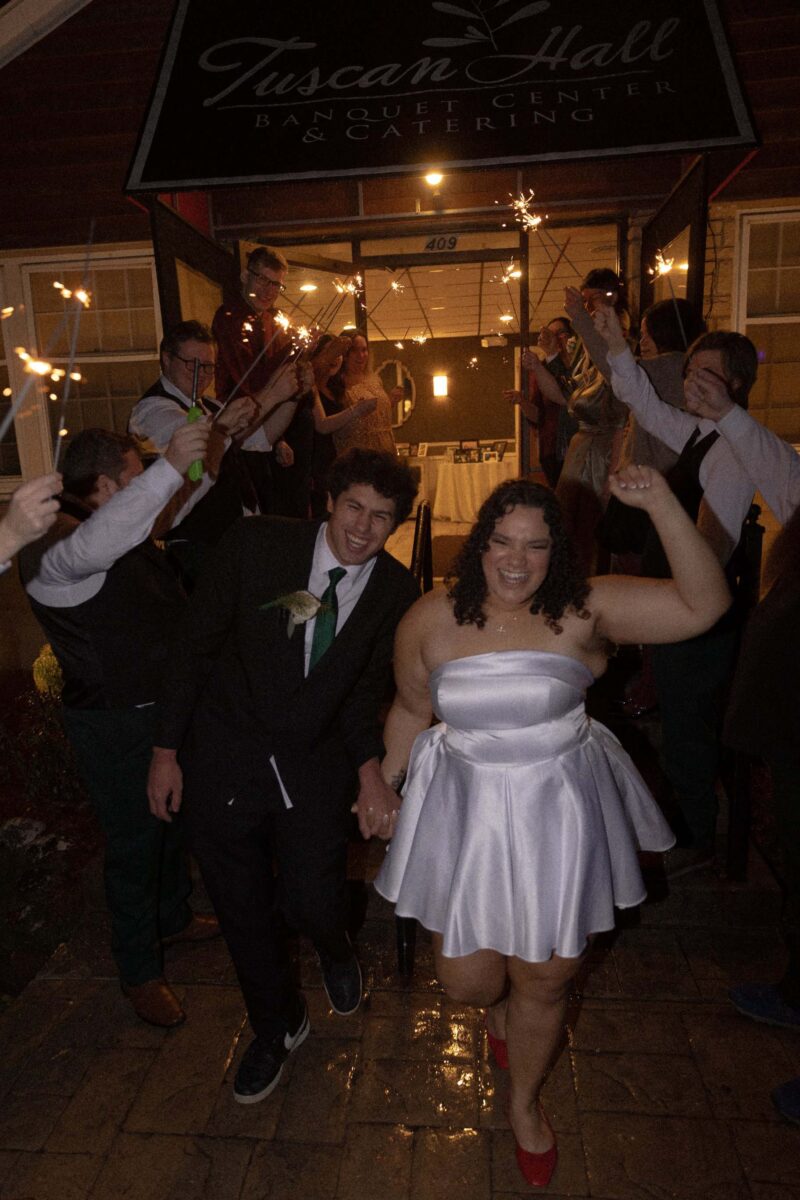
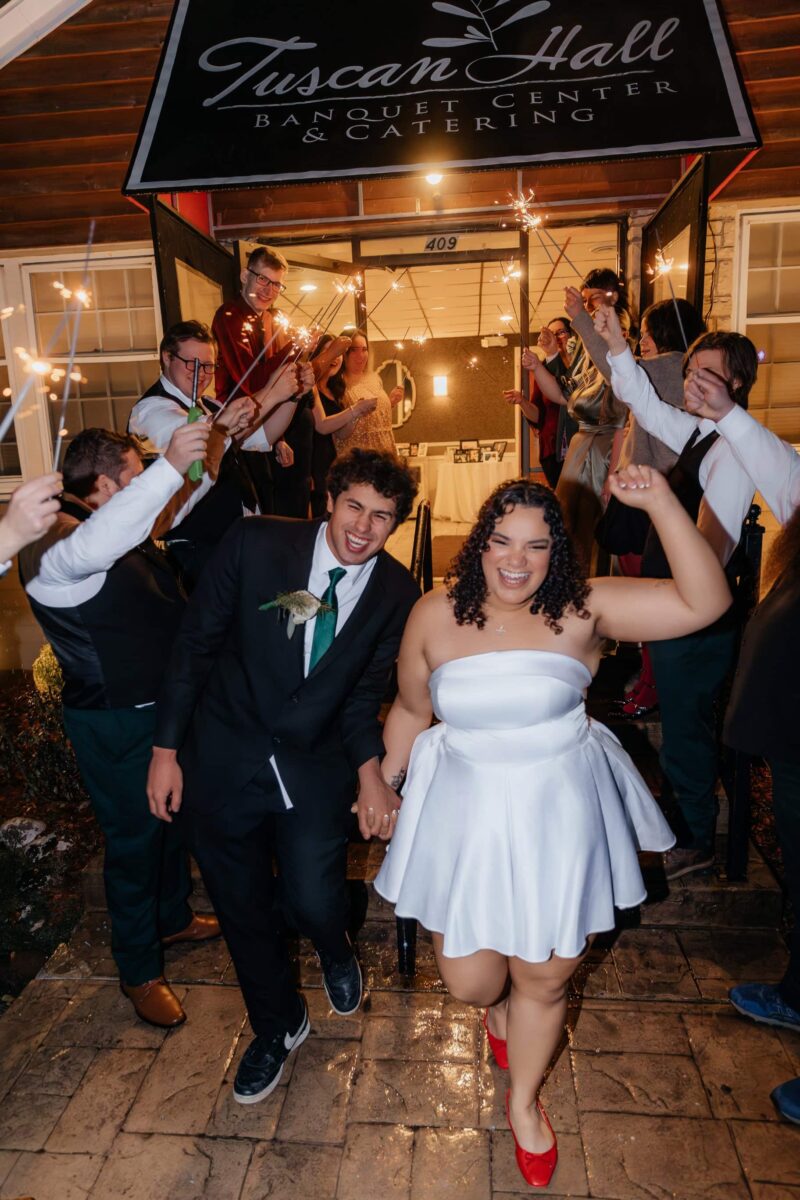
Photographers can use flashes and fast shutter speeds for clean, sharp images. Videographers, especially in dim reception halls, often rely on higher ISO and slower shutter speeds, which means more visible grain and motion blur.
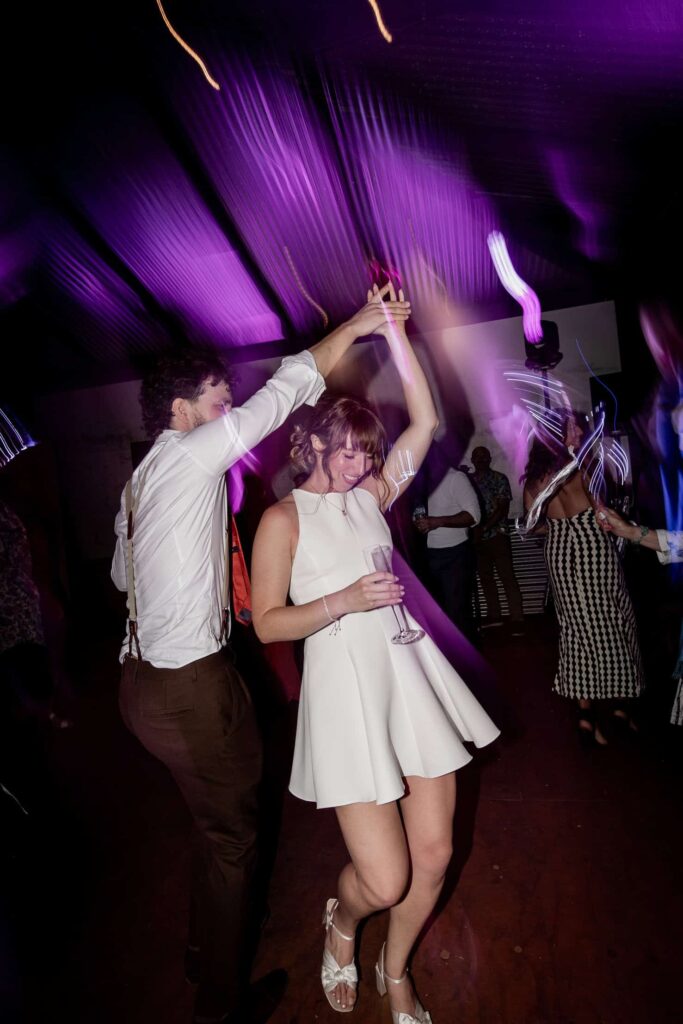
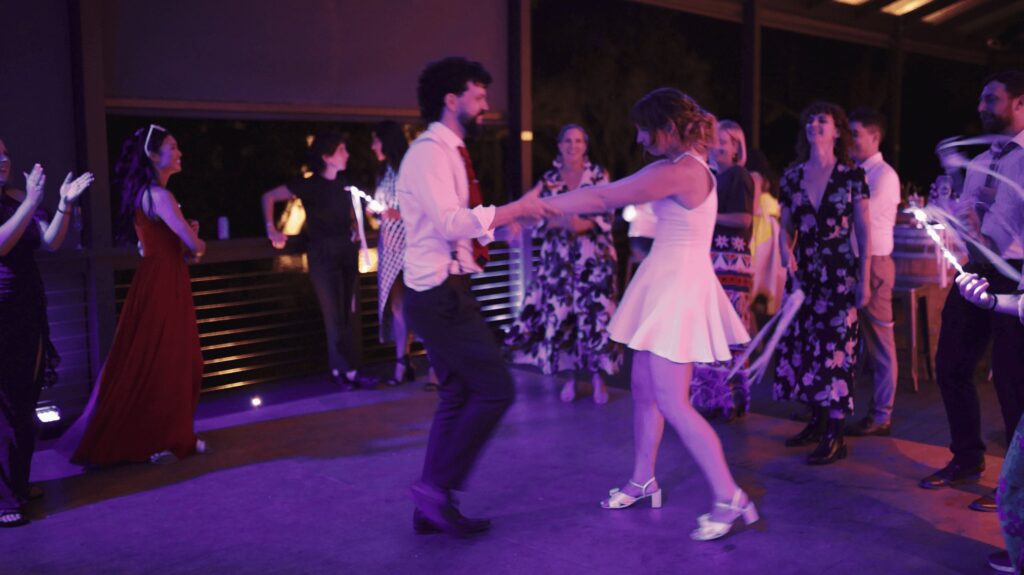
5. Editing Workflow
In Lightroom, you can paint masks and adjust details on a single image in seconds. In video, every correction must be tracked frame by frame. If the bride walks from sunlight into shade, we have to keyframe exposure, saturation, and skin tones to keep everything consistent. That’s why local corrections in video are far more time-consuming.
Why You Can’t Get a Perfect “1:1 Match”
Trying to make video look exactly like photos usually backfires. Each medium has its own strengths:
- In photos, you can mix and match multiple grading styles across a single wedding album.
- In video, the look needs to stay consistent across scenes for a seamless viewing experience.
If we graded your film with different “photo presets” for every location, it would feel disjointed and unnatural. Instead, the goal is mood alignment – your video should feel like your photos, not mimic them pixel for pixel.
How We Bring Video Closer to Photo Style
At Bride&Groom.video, we’ve developed a workflow that makes films feel naturally connected to your photos without breaking the rules of video grading:
1. We start with references. We ask for 1–2 photos per location as a visual guide.
2. We match the basics. Using split-screen in DaVinci Resolve, we align exposure, white balance, and skin tones between the video and the reference photos.
3. We add toning. If you provide LUTs, we’ll use them. If not, we draw from our curated library and fine-tune until the film captures the same mood.
4. We harmonize across the edit. Once the main scenes are graded, we apply consistent adjustments across the full film to ensure everything flows as one cohesive piece.
The result? Your video will share the same spirit and atmosphere as your photos, while still looking natural in motion.
Final Thoughts: Trust the Process
For photographers moving into video, it’s tempting to chase an exact photo-to-video match. But the best results come when you allow each medium to play to its strengths.
When needed, we can also create a custom LUT tailored to your photography style. So every future project keeps the same consistent visual identity. If you already have your own LUTs, we’re happy to integrate them seamlessly into our workflow to preserve your brand’s aesthetic.
Customizing Colors
For projects that require a unique touch, we offer fully custom color grading from the ground up. We will match the mood, atmosphere, and creative references of your work. This flexible approach puts you in control of your visual style, ensuring that every video looks exactly as you envision.
At Bride&Groom.video, our job is to translate your photo style into a cinematic language, finding that sweet spot where video and photo feel like siblings – not twins.
When you share your creative vision and trust our process, the outcome is a film that resonates with your photography while standing strong on its own.
—
FAQs
My photos use several different presets across one wedding. Which one should the film follow?
Pick the mood you want the film to carry, because video can’t switch looks the way an album can. A photo gallery can mix bright outdoor edits with moody indoor ones and still feel intentional; a film cut between those looks reads as disjointed. Send a reference photo or two per location in your chosen direction and let the grade stay consistent.
I don’t have my own LUTs yet. Is that a problem when ordering edits?
Not at all. Reference photos alone give an editor enough to align exposure, white balance, and skin tones, with toning drawn from a curated LUT library and fine-tuned to your mood. Once your style settles, a custom LUT can be built from it, so every future wedding film starts from the same visual identity automatically.
Is grainy reception footage a sign my editor did a bad job?
Usually not. Photographers freeze dim rooms with flash and fast shutter speeds, while video exposes continuously, forcing higher ISO and visible noise in low light. Noise reduction during color correction recovers a great deal, but video starts from a harder place in a dark reception hall. It’s physics, not negligence, and worth explaining to couples comparing the two.
Will my couples notice that the film doesn’t exactly match the photos?
In practice, no, because nobody watches a film and an album side by side, pixel for pixel. What viewers register is whether the two feel related: the same warmth, the same mood, the same atmosphere. When the grade aligns with your photography’s spirit while staying natural in motion, couples experience one cohesive visual identity rather than a comparison test.
—
Terminology
RAW – a photo format that saves unprocessed sensor data instead of a finished image. It gives photographers huge flexibility in editing, which is one reason photos can be pushed further than video in color work.
Dynamic range – the span between the darkest shadows and brightest highlights a camera can capture, measured in stops. RAW photos can reach about 15 stops while video tops out around 12-13, so video shadows and highlights clip sooner.
S-Log3 – a flat video recording profile from Sony designed to capture maximum brightness and color information for grading. Even with it, video holds less data than a RAW photo, which limits how closely a film can mirror a photo edit.
LUT – short for “lookup table,” a preset file that applies a specific color style to video footage in one step. Videographers can share their own LUTs with an editing team so every wedding film carries their signature look.
Keyframing – setting adjustment points along a clip’s timeline so changes happen gradually as the shot plays. If a bride walks from sunlight into shade, exposure and skin tones are keyframed to stay consistent, which is why local fixes in video take far longer than in photos.
ISO – the camera setting that controls light sensitivity. Raising it helps in dim reception halls but introduces visible grain, one of the key reasons video and photos from the same wedding can look different.
White balance – an adjustment that keeps colors true by correcting for the lighting’s warmth or coolness. Matching white balance between video and reference photos is one of the first steps in aligning a film with a photographer’s style.


