Clean sound on the day buys a smoother edit later, the angle this piece takes on capturing wedding audio. It points to dedicated recorders such as the Tascam X8 or Zoom H5 and H6, wireless mics like the Rode Wireless GO and DJI Mic, and recording in 32-bit WAV so clips that arrive too loud or too soft can still be saved, plus notes on windscreens and reception XLR runs. For filmmakers who want speech that mixes easily.
To kick off our discussion on audio, we’d like to quote well-known videographer and educator Matt Johnson, a partner of the How to Film Weddings community, who consistently stresses how much audio matters in a wedding film:
“Audio is how you tell the story in your wedding film. Without audio, your film is just a glorified music video with pretty imagery and a song. You need good spoken audio if you want your audience to engage with your film, to enjoy watching it.”
So, recording audio is a pivotal moment to ensure that your wedding film or highlight comes out beautifully, and good audio makes the final video editing process more efficient and produces superior results. Today, we won’t delve into the technicalities of recording audio. Instead, we’d like to discuss the subtleties of audio recording we frequently encounter during post-production.
Our audio recording recommendations for better post-production
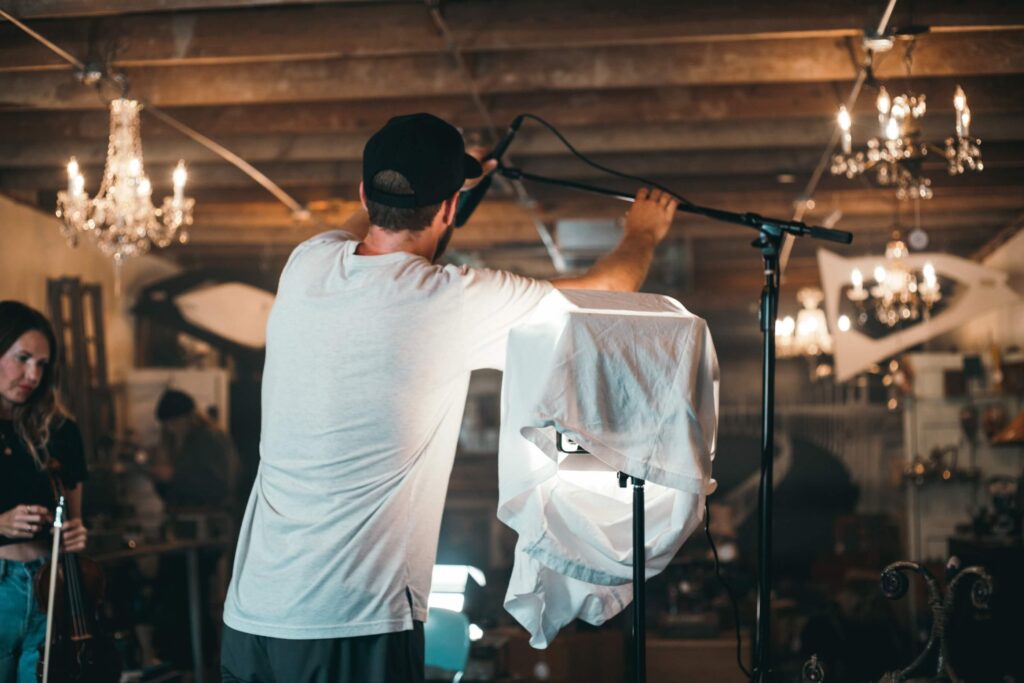
Audio recording can happen throughout the wedding day, but it’s most commonly done during events like Letter Readings, First Look, Ceremony, and Reception.
While you can record audio directly into the camera, it’s more challenging to control the audio than using a separate recorder. A reliable recorder offers the advantage of pre-processing audio with its own equalizer, compressor, limiter, and other features. Therefore, we strongly recommend using a dedicated recorder for the highest possible audio quality.
What recorders do we offer to use?
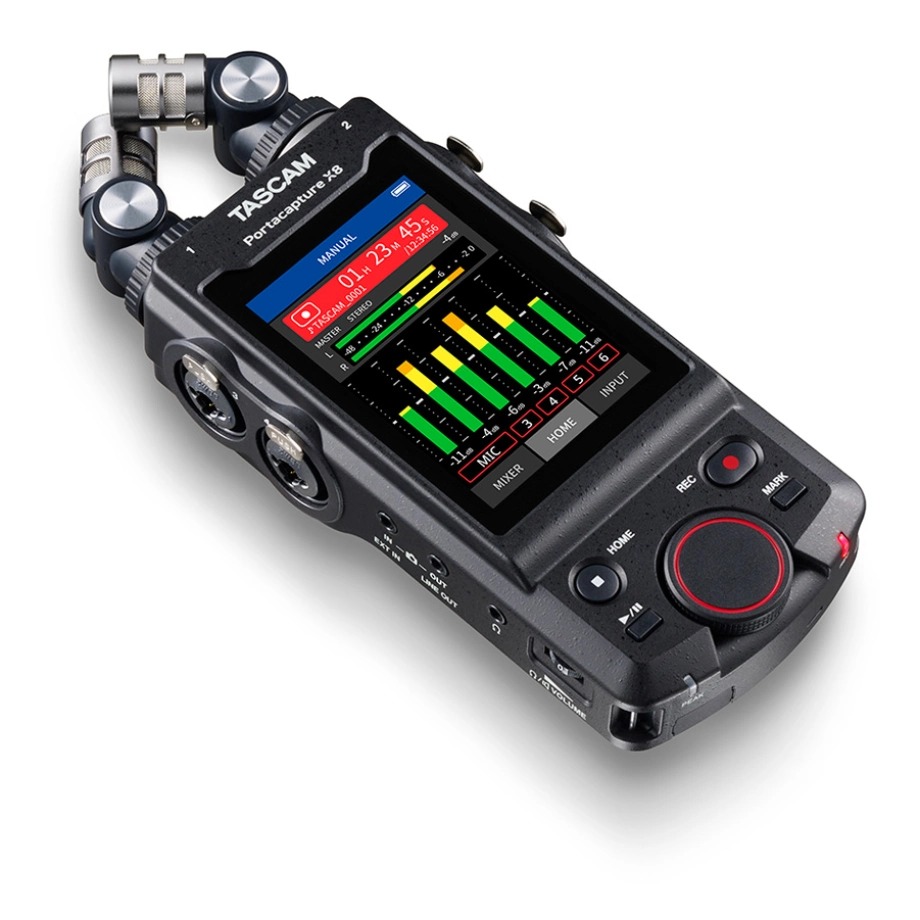
Let’s explore a few popular options. We won’t delve into a full recorder review. Instead, we’ll highlight some excellent choices without getting too detailed. Among recorders, we recommend the Tascam Portacapture X8, the Zoom H6essential and H5essential, and the newer Zoom H6studio. All of them record in 32-bit float, which is exactly why we point to them over older 24-bit devices like the Zoom H5 and H6 or the Tascam DR-40X. If you already own a 24-bit recorder, it still works perfectly well. Just set your levels carefully, since an overloaded 24-bit take can’t be rescued the way a 32-bit float one can.
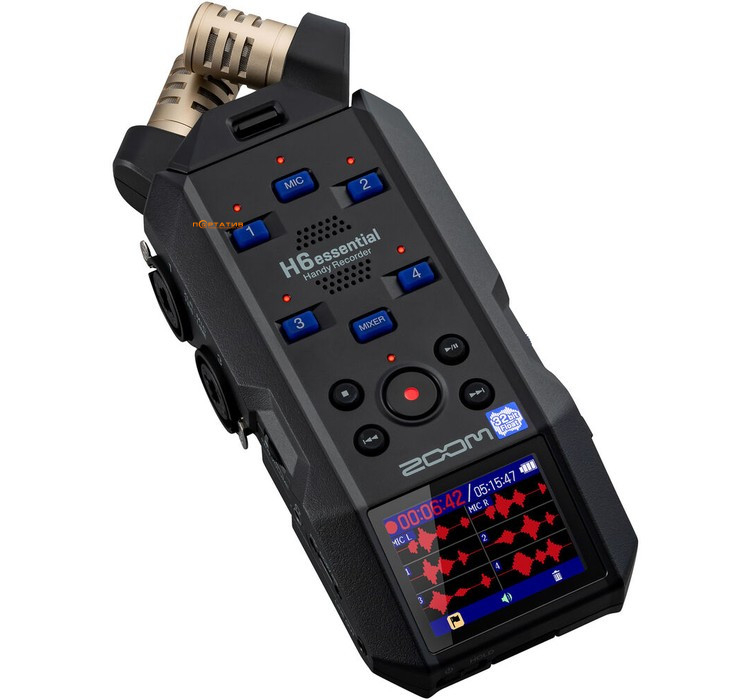
Zoom H6essential
When recording the groom or the minister, you can affix a microphone using adhesive pads, allowing you to discreetly hide the microphone under the jacket, making it virtually invisible. Alternatively, if you don’t mind the microphone being visible, you can attach it closer to the mouth on the jacket.
An essential outdoor audio recording element is a Lavalier microphone windscreen. This ensures optimal audio quality and prevents wind noise from affecting the recording.
For capturing the audio of the couple or the officiant at a wedding, wireless microphone systems work well. Good options include the Rode Wireless GO (Gen 3) or Wireless PRO, the DJI Mic 3, the Sennheiser EW-D and EW-DP series, and the Zoom F3. Many of these now record 32-bit float straight to the device, which means an overloaded or too-quiet take can be saved later in the edit, a real advantage for wedding moments you can’t ask anyone to repeat. If you’re leaning toward DJI, Taylor Jackson has a helpful rundown of the current mic lineup.
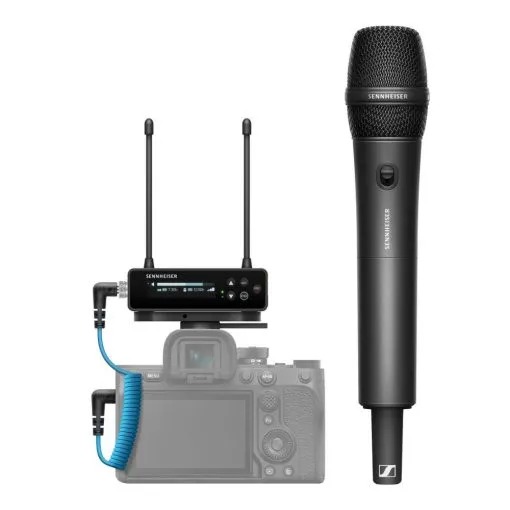
These systems are compact and easy to hide under the clothing of the groom or minister. It’s best not to place the receiver too far away to avoid audio signal interruptions when using wireless microphone systems. For instance, attaching the receiver to the camera closest to the speakers can be a wise choice.
Here’s a helpful video from our friend Matt Johnson, where he compares two compact 32-bit float recorders with XLR inputs, the Zoom F3 and the newer Tascam FR-AV2, and shows how to set them up for great audio.
What format is better for recording audio?
We strongly recommend recording audio in 32-bit float WAV format for post-production, since it gives the editor far more room to work, even when a take comes in too quiet (down to around -25 dB) or the opposite, overloaded past 0 dB because someone spoke straight into the mic. A 44.1 kHz sampling rate is fine. One thing to keep in mind: 32-bit float is a feature of the recorder or microphone itself, so this advice only applies to devices that support it, like the Tascam Portacapture X8, the Zoom H6essential and H5essential, the Rode Wireless PRO and Wireless GO Gen 3, and the DJI Mic 3. On older 24-bit gear, set your recording levels carefully instead.
For instance, you can also create a Backup Track with a volume level set at -12 dB. However, when recording in 32-bit, the Backup Track may not be necessary at all.
Additionally, keep in mind that your recorder might come equipped with a built-in microphone. If you encounter issues with recording audio from the DJ console, you can activate the recorder’s microphone recording. This audio can creatively capture the audience’s reactions to jokes or touching moments during speeches or dances. Don’t hesitate to explore different possibilities while using the recorder’s microphone!
Additional equipment
When recording the Reception, an XLR cable is essential for its incredible audio quality, so make sure to bring it for the wedding shoot. You’ll need to connect the XLR cable to the DJ console, and naturally, the newer the DJ console, the better the recording quality (we’re talking about XLR to XLR cables here). If all the inputs on the DJ console are occupied, you can use the connection through the “TRS connectors,” also known as “Jack” (using an XLR to Jack cable). To be prepared for any challenges at the wedding, having an RCA cable as a backup is a good idea.
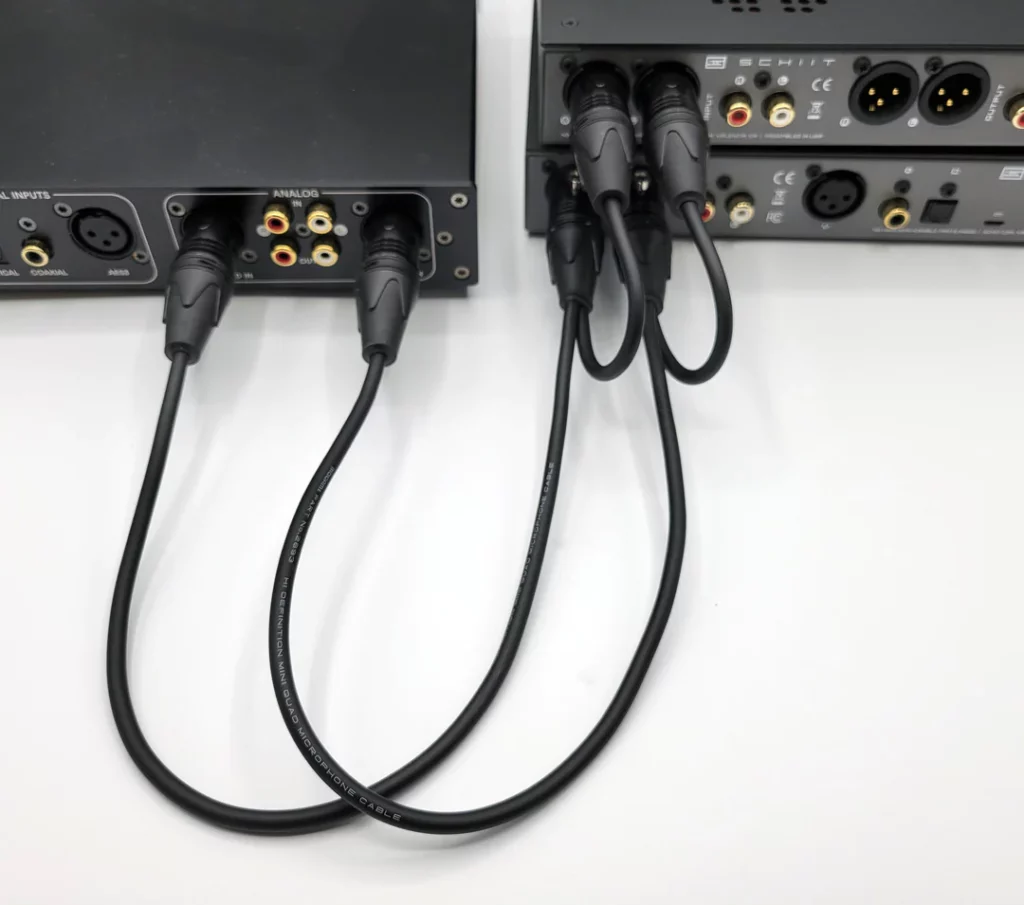
There’s a fantastic device called a Splitter; you can connect one XLR cable to the Splitter and then output two cables from the Splitter to the mixing console. This way, you can record the microphone, the DJ’s music, and more.
Finally, check out Matt’s new video about the essential audio gear needed for filming a wedding perfectly.
Final words
Don’t let poor audio ruin your beautiful wedding videos. Elevate the final quality of your films and leave a lasting impression on couples by following our recommendations.
Ready to impress your clients with professionally edited wedding videos? Book a call with Bride&Groom.Video.
—
FAQs
I recorded a ceremony at the wrong levels. Is the audio salvageable?
If you recorded in 32-bit WAV, there is a much better chance the audio can be saved. That format lets an editor recover speech captured far too quietly, down around -25 dB, and even audio that distorted when someone spoke straight into the mic. Standard recording formats are less forgiving, especially with clipped audio above 0 dB, which is one of the strongest arguments for switching your recorder to 32-bit before the next wedding.
What’s my fallback if I can’t get a feed from the DJ console?
Your recorder’s built-in microphone. Placed well, it captures the room: the music, the laughter, the crowd reacting to a toast. It won’t match an XLR feed for clarity, but it keeps the reception usable and adds atmosphere an editor can layer under the clean tracks. Carrying an XLR to Jack cable and an RCA backup also gets you out of most console problems before they start.
If I can only afford one audio upgrade this season, what should it be?
A dedicated recorder that captures 32-bit wav. It gives you a safety margin that matters more than many small microphone upgrades, because level mistakes during a once-only ceremony stop being fatal. After that, the cheapest meaningful purchase is a windscreen for your lavalier, since wind noise on outdoor vows is a problem post-production struggles to fix.
Why record the room at all when I have a clean feed from the speakers’ mics?
Because the clean feed has no audience in it. The gasps, the applause, the wave of laughter after a best man’s joke all live in the room sound, and an editor blends that under the lav tracks to make speeches feel alive instead of sterile. A recorder’s built-in mic running in the background costs nothing on the day and pays off in the edit.
—
Terminology
Dedicated audio recorder – a standalone device, like a Tascam Portacapture X8 or Zoom H6essential, that captures sound separately from the camera. It gives far more control than in-camera audio and can pre-process the recording with its own equalizer, compressor, and limiter.
Lavalier microphone – a small mic clipped or taped to the groom, minister, or speaker, often hidden under a jacket so it stays invisible on camera. It’s the standard way to capture clear vows and speeches at a wedding.
Windscreen – a foam or furry cover placed over a lavalier mic to block wind noise during outdoor recording. Without one, even a light breeze can ruin the audio from an outdoor ceremony.
32-bit WAV – an audio recording format with so much dynamic range that recordings can be rescued even if they came in far too quiet or distorted from being too loud. Recording wedding audio in 32-bit gives editors room to fix levels in post-production that would be unrecoverable in other formats.
Backup track – a second copy of the audio recorded at a lower volume, often around -12 dB, as insurance against the main track distorting. When recording in 32-bit, this safety copy usually isn’t needed.
XLR cable – a professional three-pin audio cable used to pull a clean feed directly from the DJ console during a reception. It delivers noticeably better sound than recording speeches and music through the air.
Splitter – a small device that takes one XLR input and sends the signal out through two cables. It lets a videographer record the microphone feed and the DJ’s music from the mixing console at the same time.